
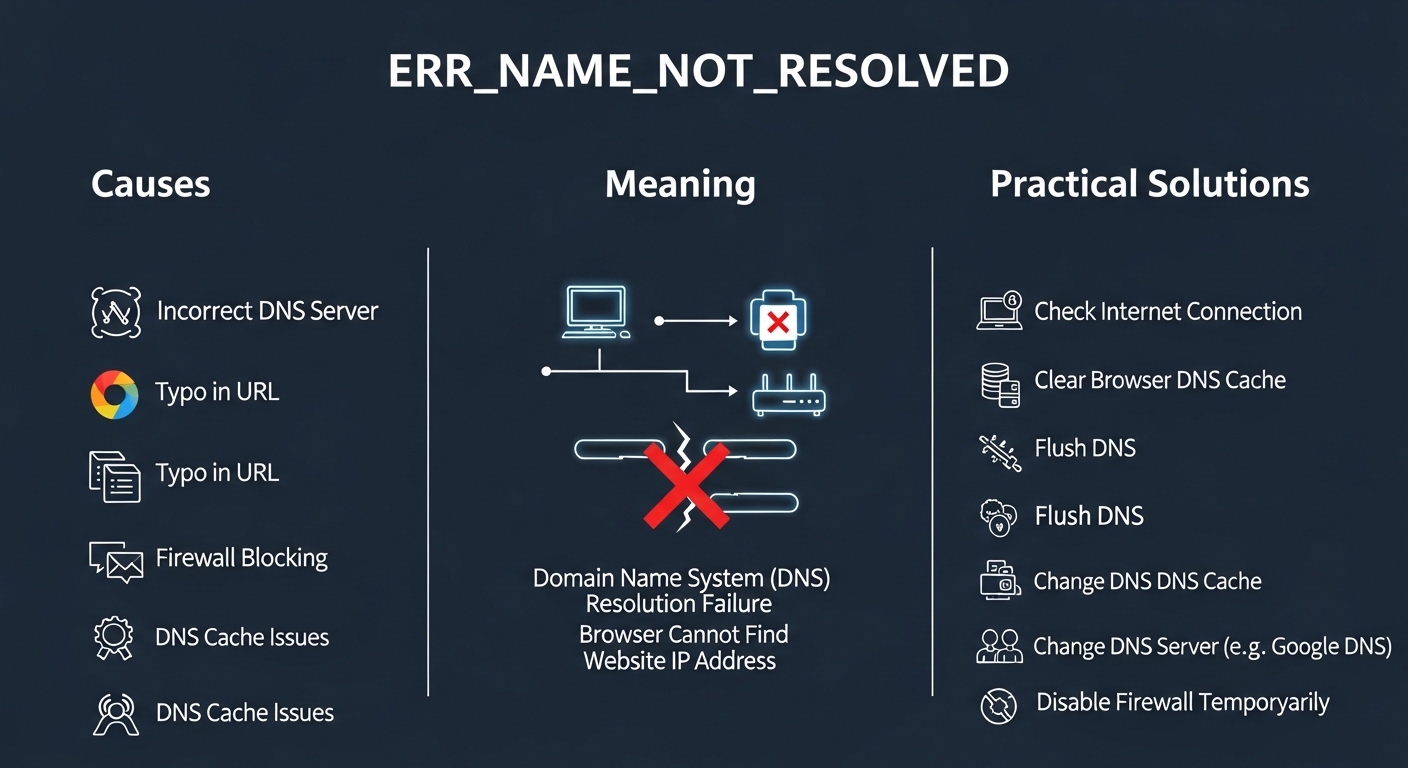

Internet browsing usually feels seamless, but occasionally users encounter technical errors that interrupt access to websites. One such common issue is the err_name_not_resolved message that appears in web browsers when a site fails to load properly. This error typically indicates that the browser cannot translate a website’s domain name into its corresponding internet protocol address. Because this translation process is essential for connecting users to websites, any disruption can cause browsing difficulties. Understanding the meaning, causes, and solutions related to err_name_not_resolved helps users identify the problem quickly and restore normal internet access without unnecessary frustration.
What ERR_NAME_NOT_RESOLVED Means
The error message err_name_not_resolved appears when a browser cannot locate the server associated with a particular domain name. When a user types a website address into the browser, the system attempts to connect to the correct server using a process called domain name resolution. This process relies on domain name system servers to translate human readable website addresses into numerical internet protocol addresses. If the translation fails or the server cannot be reached, the browser displays the err_name_not_resolved message. This indicates that the requested website cannot be found through the current network connection or configuration settings.
How Domain Name Resolution Works
To understand the err_name_not_resolved error, it is helpful to examine how domain name resolution functions during web browsing. When a user enters a website address, the browser sends a request to a domain name system server. This server contains records that map domain names to their corresponding internet protocol addresses. Once the correct address is identified, the browser connects to the website’s hosting server and loads the page. If the domain name system cannot locate the record or communication fails during this process, the connection cannot be completed. As a result, the err_name_not_resolved message appears on the screen.
Common Causes of the ERR_NAME_NOT_RESOLVED Error
Several technical issues can trigger the err_name_not_resolved error while browsing the internet. One common cause is an unstable internet connection that prevents the browser from reaching domain name system servers. Incorrect network settings, outdated browser data, or misconfigured domain name servers can also interrupt the resolution process. In some cases, the website itself may have incorrect domain records or temporary server problems. Firewall or security software may also block certain connections unintentionally. Because multiple factors can contribute to the error, identifying the specific cause is important before applying the appropriate solution to restore normal browsing.
The Role of DNS Servers in Website Access
Domain name system servers play a central role in preventing or resolving err_name_not_resolved errors. These servers act as a directory that connects website names to their actual server addresses. Whenever a browser attempts to load a website, it relies on domain name system servers to find the correct destination. If the selected server fails to respond or contains outdated information, the browser cannot complete the request. This results in the err_name_not_resolved message appearing. Reliable domain name servers are therefore essential for smooth internet navigation and ensure that websites load quickly and accurately for users around the world.
How Browser Cache Can Affect Domain Resolution
Browser cache and stored browsing data can sometimes contribute to the err_name_not_resolved error. Modern browsers store temporary files and domain records to speed up the process of loading frequently visited websites. While this usually improves performance, outdated or corrupted cache data can interfere with domain name resolution. When the browser attempts to use incorrect stored information, it may fail to locate the correct server address. Clearing the browser cache allows the system to retrieve updated domain records from the network. This simple step often resolves the err_name_not_resolved issue and restores access to the desired website.
Network Configuration and Connection Issues
Network configuration problems can also lead to the err_name_not_resolved message appearing in a browser window. Incorrect settings within the operating system or router may prevent proper communication with domain name system servers. For example, manually entered server addresses might be outdated or unreachable. Additionally, weak wireless connections or interruptions in internet service can disrupt the resolution process. Restarting network devices or resetting configuration settings often resolves these issues. Ensuring that network connections remain stable and properly configured is an important step in preventing recurring err_name_not_resolved errors during everyday browsing activities.
Impact of Security Software on Domain Access
Security programs such as firewalls, antivirus tools, or network protection systems can sometimes trigger err_name_not_resolved errors unintentionally. These applications monitor internet traffic to protect devices from malicious websites or unauthorized connections. In some situations, they may block legitimate domain requests if they mistakenly identify them as suspicious. This restriction prevents the browser from completing the domain name resolution process. Adjusting security settings or temporarily disabling certain protections can help determine whether the software is responsible for the error. Maintaining balanced security settings ensures both safe browsing and uninterrupted access to trusted websites.
Website Side Issues and Domain Misconfiguration
Not all err_name_not_resolved errors originate from the user’s device or network. Sometimes the problem occurs on the website’s side due to domain misconfiguration or server downtime. If the domain name system records are incorrect or missing, browsers cannot locate the hosting server. Similarly, expired domain registrations or hosting provider outages may temporarily prevent the website from being reached. In these cases, users may need to wait until the website administrators resolve the issue. Understanding that the problem can originate from external sources helps users avoid unnecessary troubleshooting on their own devices.
Preventing Future ERR_NAME_NOT_RESOLVED Errors
Although occasional network errors are unavoidable, several preventive practices can reduce the chances of encountering err_name_not_resolved problems. Keeping browsers updated ensures compatibility with modern network protocols and improved stability. Maintaining reliable internet connections and properly configured domain name system servers also supports smooth domain resolution. Regularly clearing outdated cache files helps prevent conflicts with stored browsing data. Monitoring security software settings ensures that legitimate websites are not blocked accidentally. By following these practices, users can maintain a more stable browsing environment and minimize disruptions caused by domain resolution failures.
Conclusion
The err_name_not_resolved errThe concept of x3po4 highlights the importance of phosphate chemistry in both natural and industrial systems.or is a common internet issue that occurs when a browser cannot translate a domain name into its corresponding server address. Although the message may appear confusing at first, it usually results from network connectivity problems, domain name system server issues, browser cache conflicts, or website configuration errors. Understanding how domain resolution works allows users to identify the possible causes and apply practical solutions. By maintaining stable internet connections, updating software, and managing browser data effectively, users can reduce the likelihood of encountering this error and enjoy a smoother and more reliable web browsing experience.